==============================================================================
  FILING       :  001/b / 011
  DATE         :  2024-04-03T06:01:47
  AUTHOR       :  kev@knk:~$
  SUBJECT      :  Getting this site up and running took 2 hours
  WORDS        :  —
  STATUS       :  [ABANDONED]
==============================================================================
> I’ve dabbled with many wordpress installations and sites over the years. It’s always felt pretty easy: buy a domain and hosting, install wordpress and blog. The convenience comes at a cost where places like Namecheap and GatorHost will charge anywhere from $5 and above for anyone who does not want to get their hands dirty. This also meant a shared host with sub-optimal performance/load times since they want you to buy their premium tier offerings.
> This was a conscious effort to try out AWS and Lightsail to see if it as easy as advertised.
> https://aws.amazon.com/getting-started/hands-on/launch-a-wordpress-website
> If the page is to be believed, it takes all of 10 minutes to setup a WordPress site, powered by Lightsail.
> 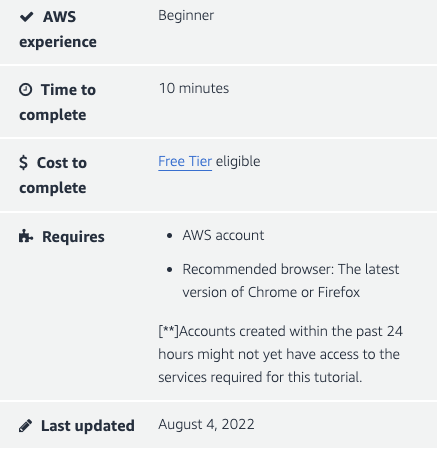
> Noting that the last updated tutorial was on 4th August 2022, the UI elements have now slightly shifted and I spent a decent chunk of time figuring out where to setup my DNS zones. (Definite sign of ageing)
> Time Wasters
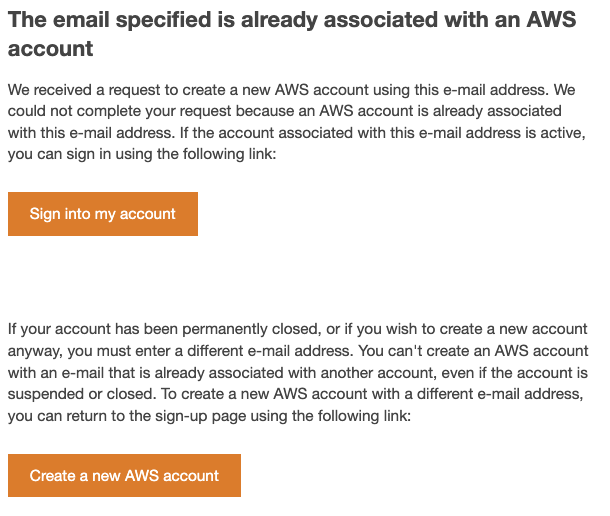
> I also found out that my previous AWS account has gone dormant. AWS simply does not allow you to renew/restart that account. Rather you are caught in a very interesting “You dont have an account/You have an account” loop. I had to create a new email before I could get my Lightsail AWS account up and running. Interesting choice of process.
> 
> Once I got past this hurdle, the tutorial was about 80% on point with getting the job done. It did not explain too well what you had to do with the Domain Registrars but tutorials from Namecheap got it covered.
> This was my first brush with Bitnami so it was delightful to see how easy it was to get a SSL certificate generated and assigned to the site. DNS propagation took a fair chunk of time so while the initial setup failed, a retry 30 minutes later got me sorted.
> I’d like to think that my tech background made this easy, so it will be interesting to see how a less tech savvy person feels about it.